


How WhatsApp ticketing streamlines IT Support workflows: 5 immediate benefits
Traditional IT support often leads to delayed responses and fragmented communication. Learn how WhatsApp ticketing transforms IT workflows with AI automation, faster ticket resolution, and proactive updates, helping businesses deliver more efficient and responsive internal support.

Imagine starting your workday and opening your IT support dashboard to find only a few pending tickets instead of an overwhelming backlog. For many IT teams, however, the reality is constant password reset requests, software issues, device malfunctions, VPN access problems, and repetitive support queries that consume valuable time.
Traditional help desks rely heavily on email, phone calls, and support portals. While functional, these channels often create delays, fragmented communication, and frustrating user experiences.
To improve responsiveness and efficiency, organisations are increasingly adopting messaging-first support models. Among them, WhatsApp has emerged as a powerful channel for IT service management.
By integrating the WhatsApp Business API with an AI CRM and ticketing platform, businesses can centralise support requests, automate repetitive tasks, and accelerate issue resolution. Instead of asking employees to navigate complex helpdesk systems, IT support becomes available through a familiar channel they already use every day.
What is WhatsApp Ticketing?
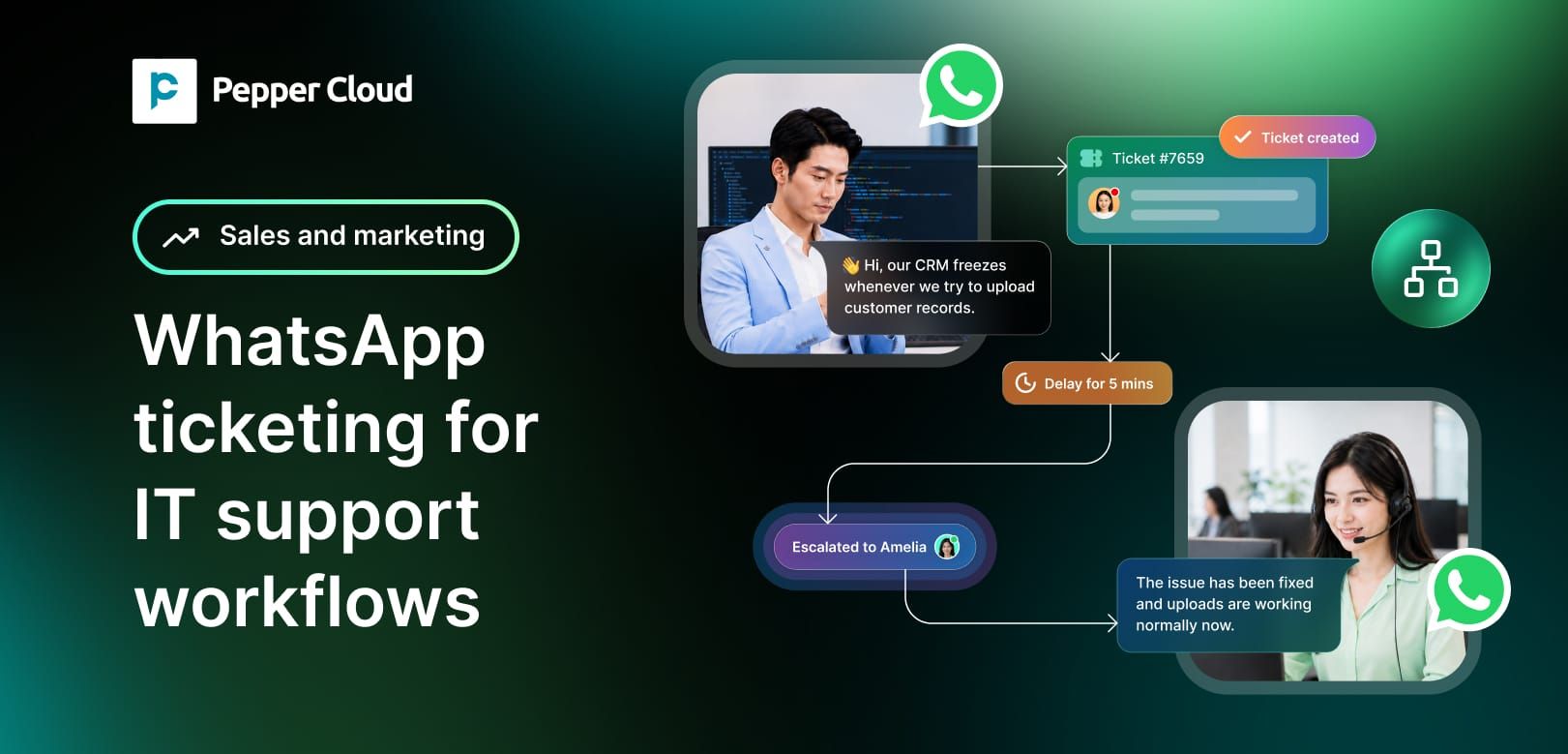
WhatsApp ticketing is a support management system that converts WhatsApp conversations into structured support tickets. By integrating the WhatsApp Business API with a helpdesk or AI CRM platform, businesses can automatically create, assign, track, and resolve support requests from a single dashboard. This enables IT teams to provide faster assistance, automate repetitive queries, and keep users updated through a communication channel they already use daily.
 Pepper Cloud Marketing
1. Zero-friction ticket creation
Traditional IT support ticket systems require users to log into a clunky web portal, fill out long forms with drop-down menus, or send an email into a black hole. It is a rigid process that breeds user frustration, delays reporting, and leads employees to bypass official channels entirely to ping engineers directly.
Creating tickets manually or automatically from WhatsApp completely removes these barriers. Because employees and customers already use the app daily, raising a ticket is as simple as sending a quick text message. A user can simply type, "My laptop screen is flickering," and snap a quick photo or video of the issue.
- [Employee]: Hi, my office printer is jammed again. (Sends photo of error code)
- [ Bot]: Got it! Ticket #4028 has been created for the 3rd-floor printer.
- An engineer has been assigned.
Instead of trying to describe a complex technical glitch or a cryptic error message in writing, a user can send a five-second video clip. Your IT support team instantly receives the complete visual context, skipping the usual back-and-forth diagnostic chatter.
For example, Pepper Cloud automatically turns that incoming WhatsApp message into a trackable support ticket without anyone having to fill out a portal form.
This frictionless approach drastically lowers user frustration while ensuring that technical issues are logged the moment they occur, providing rich data right at the start of the ticket lifecycle.
2. Near-instant response times via conversational AI
When an internal business system goes offline, or an employee gets locked out of a critical client account, every single minute of downtime costs money. Waiting three hours for an email response or sitting on hold with an internal phone line is no longer acceptable in high-velocity business environments.
Recent global data highlights that WhatsApp delivers an average message open rate of 98%, with approximately 60% of users reading messages within five minutes of receipt. This immense engagement window completely changes how incident management operates. When a user submits a query via WhatsApp, an AI-powered chatbot can instantly intercept the message to begin immediate remediation.
- Instant verification: The bot can confirm the user’s identity through secure, automated single sign-on (SSO) integrations or quick verification workflows.
- Self-service resolution: For common, low-risk issues like password resets or VPN configurations, the bot can instantly share step-by-step knowledge base articles, interactive guides, or direct password reset links.
- Smart routing: If the problem requires human intervention, the chat is smoothly handed over to the right live specialist based on the category of the issue.
This conversational approach ensures that your first response time (FRT) drops to near zero, keeping your users informed and reassured right from the very first second.
3. High-volume automation via intelligent AI chatbots
Your standard IT tier-1 support agents spend a massive amount of their productive time answering the exact same questions over and over again. This repetitive cycle drains your operational budget, inflates your cost-per-ticket metrics, and thoroughly exhausts your technical staff.
By using customer support automation via the WhatsApp API, you can delegate these low-level, high-volume tasks to an intelligent conversational agent. According to industry reports, generative AI chatbots can resolve up to 75% of routine interactions without requiring human agent intervention. When you apply this level of automation to your internal IT desk, the operational shifts are immediate.
Pepper Cloud automates these repetitive tier-1 IT requests by deploying intelligent AI chatbots directly on WhatsApp
For example, if an employee messages your IT line saying they cannot connect to the office Wi-Fi, the WhatsApp chatbot can instantly run through standard troubleshooting checks:
1. It asks if they are on the guest or corporate network via interactive buttons.
2. It provides the current, updated security configuration or network credentials.
3. It links to a quick automated device verification script.
4. If these steps resolve the issue, the bot automatically marks the ticket as resolved.
This high bot deflection rate frees your skilled systems engineers to focus on high-priority infrastructure projects, deep security vulnerabilities, and network optimisation rather than basic password updates.
4. Unified communication in a centralised omnichannel inbox
One of the biggest headaches in traditional IT management is data fragmentation. An analyst might take an unexpected phone call, follow up via a separate email thread, and then receive a screenshot via an internal chat app. Critical context is easily lost, and Service Level Agreement (SLA) management suffers from visibility gaps.
When you integrate WhatsApp with your core ticketing system, every single interaction is pulled into a unified workspace. A shared team inbox allows your entire IT squad to view, assign, and collaborate on incoming WhatsApp messages simultaneously.
Core inbox advantages
- Complete visibility: Agents can view the entire chronological chat history alongside previous technical issues, giving them immediate context without digging through old records.
- Internal collaboration: A tier-1 agent can tag a senior network engineer into the conversation using internal notes without alerting the end-user, keeping the solution hidden from view until it is ready.
- Context retention: If an issue escalates from a text chat into a full hardware replacement, the field engineer reviews the initial text thread, ensuring the user never has to repeat themselves.
Pepper Cloud captures every request in one place. It reduces internal confusion and cuts down average ticket resolution times of your IT team.
5. Proactive status updates and asset tracking
IT support is not just about reacting to problems when they occur; it is about keeping people informed throughout the entire lifecycle of their issue. In traditional workflows, a user often has no idea if an engineer is actually working on their broken hardware or if their ticket has been completely forgotten in a long queue.
With the WhatsApp Business platform, you can configure automated communication updates based on internal ticket triggers within your ITSM tool.
- [System update trigger: Ticket Status Changed to 'In Progress']
- [Automated WhatsApp message]: "Hi David, an IT engineer is now investigating your network access issue.
We expect to have you back online within 20 minutes! Instead of forcing users to log into an external portal to check on progress, your system pushes real-time updates directly to their phones.
This proactive loop keeps everyone aligned, prevents a flood of "Any updates?" messages into your queue, and noticeably improves your overall customer satisfaction scores.
Supercharging your helpdesk for the future
The numbers speak for themselves. Moving away from rigid, legacy email templates toward dynamic, mobile-first channels is a clear operational advantage. Research demonstrates that WhatsApp communication can improve customer service response speeds, providing an incredibly fast path to resolution.
Integrating WhatsApp ticketing into your IT service strategy does not mean discarding your current infrastructure or replacing your entire software stack. Instead, it adds a responsive, conversational layer right on top of your existing helpdesk tools.
With Pepper Cloud AI CRM WhatsApp-powered ticketing capabilities, businesses can simplify support operations, keep employees informed, and enable IT teams to focus on high-value initiatives instead of routine requests. Book a demo to know more.
FAQs
1. How does WhatsApp ticketing improve IT support efficiency?WhatsApp ticketing allows employees to report issues instantly through a familiar messaging platform, reducing response times and simplifying ticket creation.
2. Can WhatsApp ticketing integrate with existing helpdesk software?Yes. WhatsApp Business API can be integrated with most modern helpdesk and AI CRM platforms, enabling centralised ticket management and workflow automation.
3. What types of IT support requests can be automated on WhatsApp?Common requests such as password resets, VPN access issues, software installation guidance, device onboarding, and basic troubleshooting can be automated using AI chatbots.
4. Is WhatsApp ticketing secure for internal IT support?
When implemented through the WhatsApp Business API and a secure CRM platform, WhatsApp ticketing supports encrypted communication and controlled access to support data.
5. How does Pepper Cloud AI CRM support WhatsApp ticketing?
Pepper Cloud AI CRM helps businesses manage WhatsApp conversations, automate ticket workflows, route requests to the right teams, and track support performance from a centralised platform.
Key takeaways
- WhatsApp ticketing makes it easier for employees to report IT issues without navigating complex support portals.
- AI-powered automation can handle routine requests such as password resets, software access, and troubleshooting, reducing support workloads.
- Real-time communication through WhatsApp improves response times and keeps users informed throughout the support process.
- A centralised shared inbox helps IT teams manage conversations, collaborate efficiently, and maintain a complete ticket history.
- Automated status updates improve transparency, reduce follow-up requests, and enhance user satisfaction.
- Integrating WhatsApp with an AI CRM and helpdesk platform helps organisations streamline IT operations without replacing existing support systems.