


New features: Ticket Kanban view, AssistAI for tickets, and more
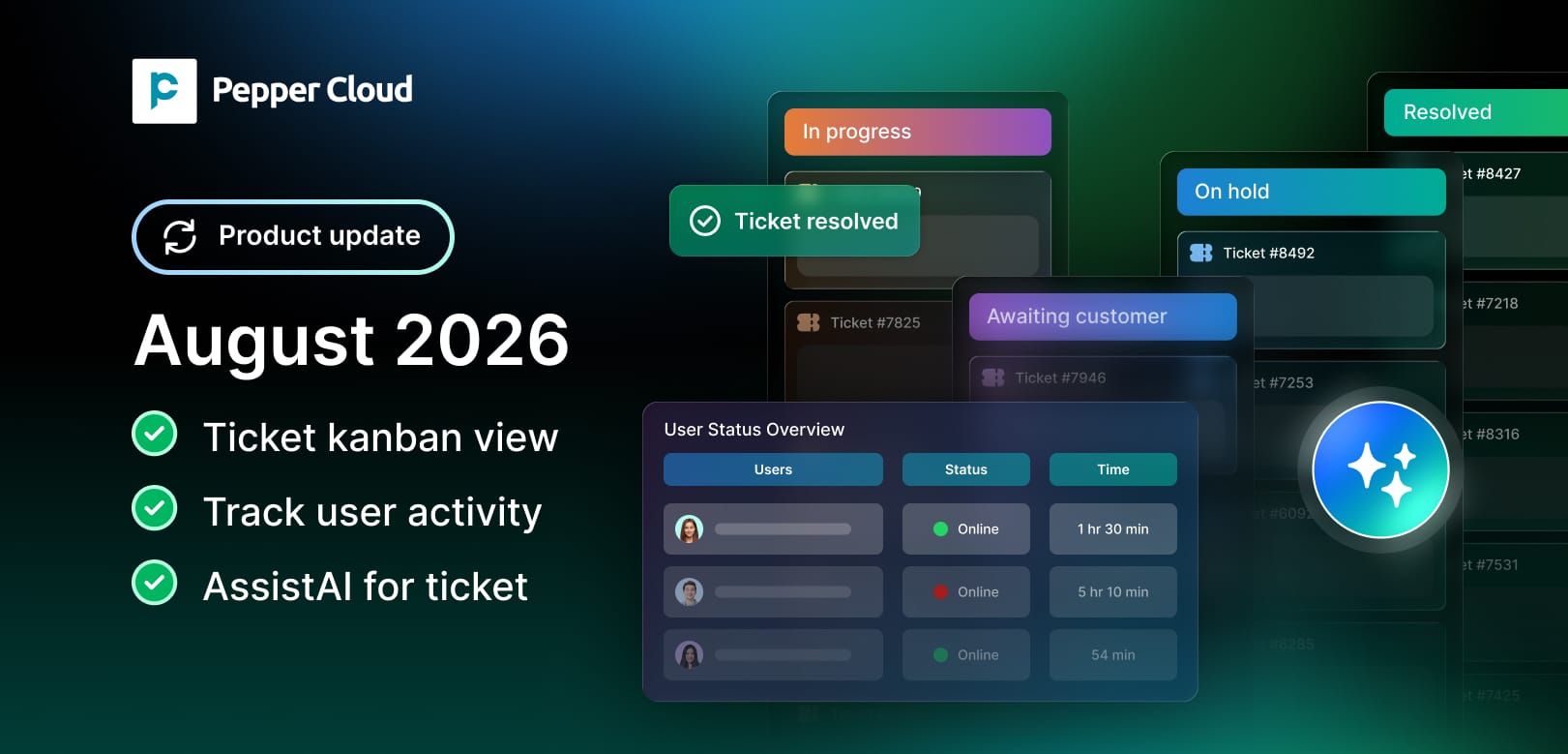
What's new in Pepper Cloud CRM: ✔ Kanban view for tickets ✔ Dashboard user activity tracking ✔ AssistAI for instant ticket answers

blog.peppercloud.com/ticket-kanban-view-assistai-for-tickets-and-more
Running a sales and support team means juggling dozens of small decisions every day: which ticket needs attention first, whether your team is online when a query comes in, and how quickly you can get an answer without digging through records yourself.
This update is built around exactly those moments. Here's what's new in Pepper Cloud CRM this month.
1. Kanban view for the ticket module: See every ticket's status at a glance
Since we launched the ticket module, teams have used it to centralise support requests, set SLAs, and track resolution from a single workspace. The one thing a table view can't do well, though, is give you an instant read on where tickets stand across your whole pipeline.
That's where the new Kanban view comes in.
Tickets are now displayed as cards across columns that mirror your support pipeline stages, whatever stages you've configured. You can drag and drop a ticket from one column to the next as its status changes, instead of opening it and editing the stage manually.
What you can do with it:
- Visualise your entire ticket pipeline in one screen, grouped by stage
- Drag and drop tickets between stages to update status instantly
- Spot bottlenecks — a column filling up faster than it empties is an early warning sign
- Switch between Kanban and table view depending on what a task needs
Why it matters: Customer support managers rarely need a spreadsheet; they need a picture. A Kanban board makes overloaded stages, stuck tickets, and idle columns obvious within seconds, which is exactly why Kanban boards for ticket management have become standard across helpdesk tools. For teams handling a high daily ticket volume, this alone can cut the time spent on manual status reviews.
2. Dashboard: track user activity, including when your team goes offline
This update extends Pepper Cloud's analytics dashboard with clearer activity tracking, so managers can see not just what a user did, but when they were actually active.
What's new:
- Track when users go offline in real time
- View activity history alongside existing performance metrics
- Get a more accurate picture of team availability and workload distribution
Why it matters: if a customer's message goes unanswered, the first question is usually "was anyone available?" Rather than guessing, managers can check the dashboard and see exactly who was online, for how long, and when they logged off — useful for staffing decisions, SLA reviews, and spotting coverage gaps during peak hours.
3. AssistAI for tickets: Ask a question, get an instant answer
AssistAI already helps teams generate reports, manage records, and draft replies using plain conversational commands. This update extends that intelligence to the ticket module as well.
Instead of filtering the ticket list or opening individual records, you can now ask AssistAI questions such as:
- "How many tickets are still open for this week?"
- "Which tickets have breached their SLA?"
- "Show me tickets assigned to Priya that are unresolved."
AssistAI reads the request, pulls the relevant ticket data, and returns an answer in seconds — no manual filtering required.
Why it matters: Customer support leads spend a surprising amount of time simply locating information before they can act on it. By letting AssistAI handle the lookup, teams get to the decision faster — reassigning a ticket, escalating a breach, or checking in on a stuck case — instead of spending that time navigating screens.
Ready to put these updates to work?
From a clearer view of your ticket pipeline to faster answers from AssistAI, these updates are designed to remove the minor friction points that slow down support and sales teams.
Log in and explore the product. Or Book a free demo to see how Pepper Cloud CRM's latest features can fit into your team's workflow.