


Multi-agent AI chatbots: How to reduce wrong answers?
A multi-agent AI chatbot uses specialised agents to understand questions, retrieve reliable information, verify facts, and generate accurate responses. Learn how this approach reduces wrong answers, prevents AI hallucinations, improves chatbot reliability, and when human intervention is needed.
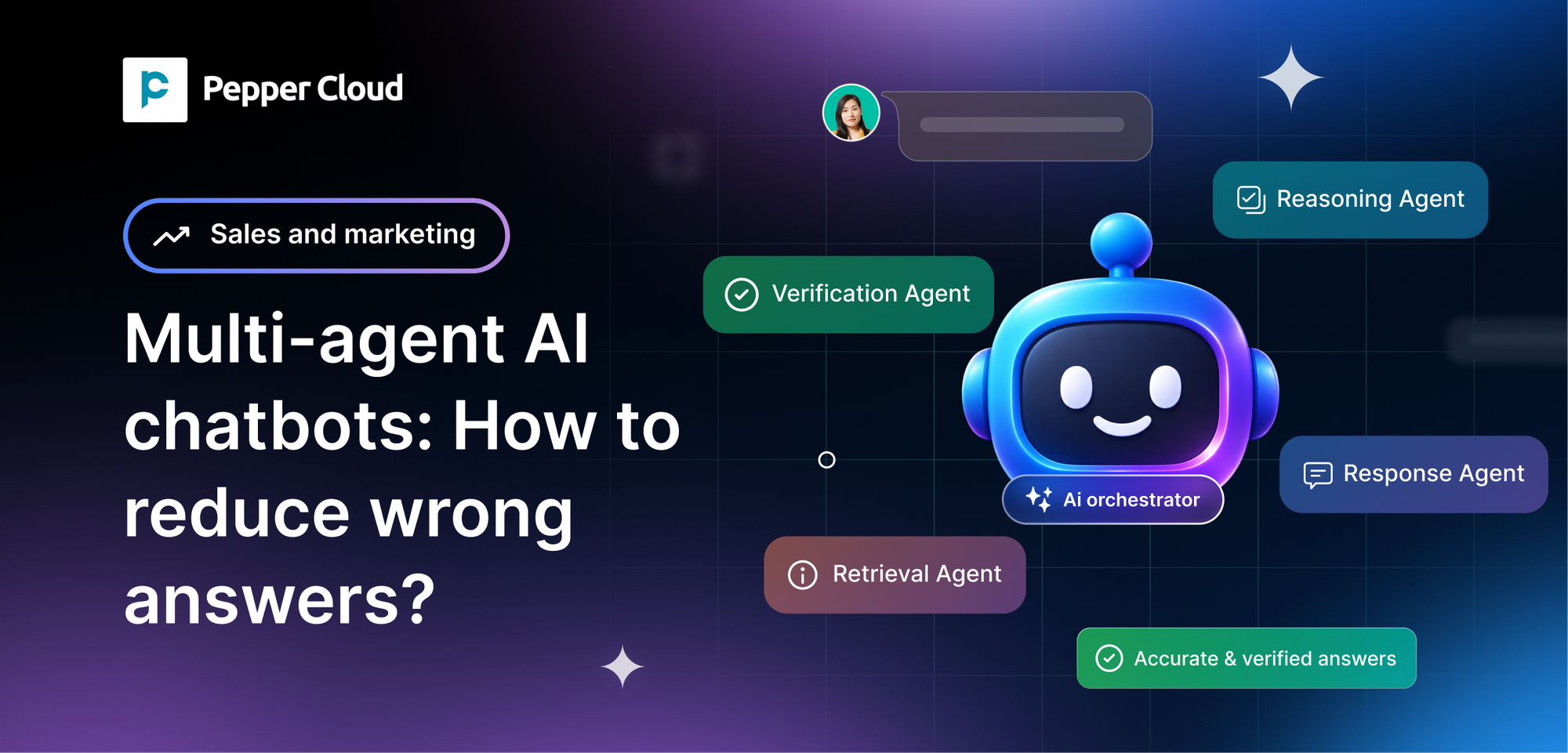

Too Long? Read This
- Multi-agent AI chatbots divide tasks such as understanding queries, retrieving information, reasoning, fact-checking, and generating responses among specialised agents.
- Using trusted, up-to-date business data and RAG helps chatbots generate answers based on verified information rather than assumptions.
- Independent verification, cross-checking, and self-review help identify unsupported claims, missing conditions, and factual errors before responses reach customers.
- Clear agent roles, structured workflows, and source references make chatbot errors easier to identify, troubleshoot, and correct.
- Human handoffs are essential for handling uncertain questions, conflicting information, sensitive requests, and decisions that require human judgement.
- Measuring factual accuracy, hallucination rate, source accuracy, escalation rate, and customer satisfaction helps businesses monitor and improve chatbot reliability.
A multi-agent AI chatbot breaks down a customer query into different agents, each with a specific role. This could include understanding, researching, reasoning, validating and answering.
If done correctly, this can reduce incorrect answers. However, the data must be reliable, the agents must work well together, and there must be human intervention for the cases that the system can’t handle.
What are Multi-Agent AI chatbots?
A multi-agent chatbot uses several AI agents, each with a defined role, to answer a question or complete a task. Instead of one model doing everything, the work is divided into stages.
Take a customer who asks, "Can I get a refund on this product after 45 days?" One agent works out the intent and the product. Another retrieves the current refund policy.
A third checks whether the policy allows a refund at 45 days. A fourth confirms the conclusion is supported by the policy text. A final agent writes a clear reply.
Separating retrieval, reasoning and verification makes complex support queries easier to handle and easier to debug.
Research presented at ACL 2025 reported that using multiple agents to filter retrieved documents improved question-answering accuracy by 2–11% across four benchmarks in a multi-agent retrieval-augmented generation (RAG) setup.
These results come from controlled benchmarks, so real-world gains will vary with your data and design.
How does a multi-agent AI chatbot work?
A multi-agent chatbot follows a sequence of steps to turn a customer question into a useful, evidence-based answer.
The exact workflow depends on how the system is designed, but a typical process looks like this.
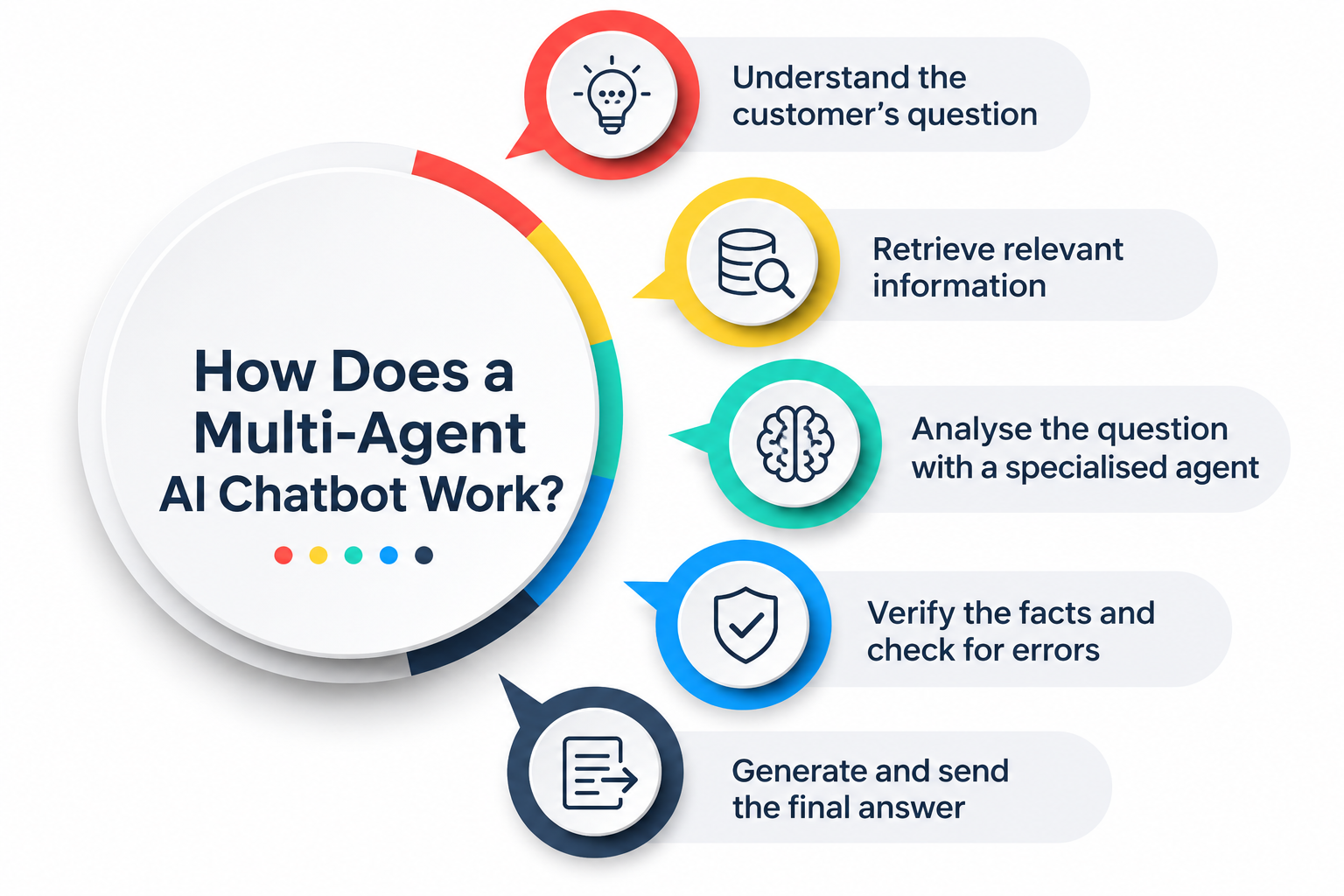
Step 1: Understand the customer's question
The first agent identifies the customer's intent and extracts important details. It also considers the conversation history to understand references to earlier messages.
For example, if a customer asks, "Can I return it after opening the package?", the agent identifies the product and return-policy question before moving forward.
Step 2: Retrieve relevant information
A retrieval agent searches approved sources, such as FAQs, product documentation, policy pages, and connected business records.
It selects information that directly addresses the question.
Retrieving relevant information is not enough on its own. The agent must also check whether the information is current, complete, and applicable to the customer's situation.
Step 3: Analyse the question with a specialised agent
A reasoning agent examines the retrieved information and determines what it means for the customer's request.
If the question involves multiple conditions, the agent considers each one before reaching a conclusion.
For instance, it may need to check the purchase date, product category, and return conditions before explaining whether a return is permitted.
Step 4: Verify the facts and check for errors
A verification agent compares the proposed answer with the available evidence.
It looks for unsupported claims, missing conditions, contradictions, and incorrect interpretations.
If the evidence does not support the proposed answer, the system can retrieve more information, revise the response, or ask a human agent for assistance.
Step 5: Generate and send the final answer
The response-generation agent turns the verified findings into a clear, customer-friendly answer.
It should explain relevant conditions without adding unsupported details.
For example, instead of promising a refund, the chatbot might explain the documented return conditions and direct the customer to a support representative if eligibility cannot be confirmed.
Why do AI chatbots give wrong answers?
Before improving chatbot accuracy, businesses need to understand why errors occur in the first place.
1. AI Hallucinations and Made-Up Facts
AI hallucinations occur when the chatbot provides false/unfounded or contradictory information.
This could include providing false information about features of your product or guaranteeing a refund that you don’t offer.
AI works by providing the most likely text based on patterns it has learned.
It will not always check the facts. The chatbot will provide a coherent answer, but it will not have reliable evidence to back up its answer.
2. Outdated or Incomplete Knowledge
The chatbot may provide information based on out-of-date product descriptions, promotions or prices.
It may also give information based on incomplete policy documents.
This means that even if the information was accurate to begin with, the chatbot may provide incorrect answers due to changes within your business.
This can be avoided by regularly updating your sources of information.
3. Poor Context and Misunderstood Questions
Customers will rarely provide full context in their query.
For example, they may ask: Does that include installation?
If the chatbot can’t identify the previous context or what ‘that’ refers to, it may provide the wrong answer.
Multi-turn conversations require the chatbot to be able to understand the current query and relate it to relevant previous queries.
4. Lack of Access to Reliable Business Data
If the chatbot can’t access the policies of your business, it won’t be able to provide reliable answers.
The chatbot may provide an answer based on what it thinks the answer is, based on popular practices.
By connecting the chatbot to official business information and using Retrieval-Augmented Generation (RAG), it can provide answers based on the relevant evidence.
How do multi-agent AI chatbots reduce wrong answers?
Multiple agents can reduce wrong answers and improve accuracy when each agent has a clear role and follows a defined process.
The following practices help make that approach more reliable.
1. Use specialised agents for different tasks
Don’t use one generic agent for everything. Instead, have separate agents for interpreting questions, retrieving information, reasoning and verifying.
This will help you to debug. If you get the wrong price, then you can see if the issue was the retrieval agent using old pricing or the response agent providing incorrect information.
For example, a customer asks, “How much is the Pro plan per month?” The correct price is $29, but the chatbot replies $25.
With one generic agent: Everything happens in a single step: understanding the question, finding the price, and writing the reply.
When “$25” appears, you can’t tell where it went wrong. Did the model misread the question, pull an old pricing page, or make up a number? You have to dig through the whole process to find out.
With specialised agents: Each stage leaves its own output, so you can check them in order:
2. Retrieve facts from trusted data sources
Link the chatbot to approved, well-maintained information sources.
This could be product catalogues, current pricing, refund policies, service documents and customer information that the chatbot has access to.
This is called retrieval-augmented generation (RAG). You can use this principle when building a WhatsApp chatbot. The automated responses will be based on approved information from your business.
3. Cross-check answers with multiple agents
Use two agents to verify the response. One could pick up if any conditions are missing, while the other could see that there is a conflict.
But this won’t guarantee the answer is correct. If both agents are using the same incorrect document or have the same reasoning flaw, then they will both make the same mistake.
It is important that they use independent evidence and have clear verification criteria.
4. Use a verification agent to detect errors
The verification agent should check for specific things. This should be things like ensuring the response is backed up by evidence, correct numerical information, policy conditions are met and that it matches the information retrieved.
For example, if the chatbot says it takes 2 days to deliver, the verification agent should check that the source says it takes 2 days for that delivery option.
Where possible, use deterministic checks. This ensures exact information is used: specific dates, calculations and policy rules.
5. Let a self-reflective agent review its response
A reflective agent will look at the draft response. It can ask questions like whether the response answers the question, whether any claims have no evidence to back them up and whether more information is needed.
If there is an issue, then the system can update the response.
But this shouldn’t be used as a replacement for external evidence. The agent could still miss the issue.
6. Escalate uncertain questions to human agents
Some questions shouldn’t be answered automatically, such as disputed refunds, unusual contract terms, sensitive account changes and questions where there is missing or conflicting information.
Have clear rules for when to escalate. This could be if there isn’t much confidence, there isn’t any evidence, there have been multiple retrieval issues or if it is a high-impact decision.
If your business is using automation for WhatsApp customer support, then having a clear process for handing over to a human will ensure that automation doesn’t become an obstacle to getting the correct answer.
5 core agent roles in a reliable multi-agent chatbot
A practical multi-agent chatbot can use five core roles. These are functional responsibilities, not necessarily five separate AI models.
For better understanding, to see how they fit together, follow one customer question through all five: “I bought the Pro plan 45 days ago. Can I get a refund?
1. Knowledge retrieval agent
This agent is the chatbot’s researcher; it identifies the best information sources and picks out relevant documentation.
The agent should seek the most reliable and up-to-date information. It should provide supporting text.
Example: It finds the current refund policy and returns the line stating that refunds are available within 30 days of purchase.
2. Reasoning and analysis agent
This agent is the thinker. It takes the customer’s question and the retrieved evidence, then works out what they mean together.
When several conditions apply, such as purchase date, plan type and terms, it checks each one before reaching a conclusion, and it records which evidence supports it.
Example: The purchase was 45 days ago, and the window is 30 days, so the request falls outside the standard policy
3. Fact-checking agent
Verify each key piece of information using the evidence. Highlight any unsupported statements, inconsistencies and any missing criteria.
Example: It confirms the policy says 30 days, recalculates that 45 days exceeds it, and notes that the policy mentions exceptions handled by support.
4. Response generation agent
This will create a clean and natural answer. The answer should only include information that directly answers the question.
Example: “Our refund policy covers purchases within 30 days, so a 45-day-old purchase isn’t eligible for a standard refund. I can connect you with our support team to review your situation.”
5. Human handoff agent
Identifies any questions that require human interaction. Will route these to the correct team with relevant history and information so the customer doesn’t have to repeat themselves.
Example: The customer says the 30-day window shouldn’t apply because of a billing error. The agent opens a ticket for the billing team with the purchase date, the policy text and the full chat.
Why this setup works?
Each role will generate an output, meaning you’ll only need to debug one step of the process if the answer is incorrect.
If the policy is out of date, it’s an issue with the retriever; if the date is incorrect, it’s an issue with the reasoner; and if a claim is made that isn’t in the source, it’s an issue with the verifier.
This means you can fix the issue quicker and more efficiently than debugging one large prompt.
Common Challenges of Multi-Agent AI Chatbots
Adding agents introduces new failure points. Businesses should plan for these challenges before deploying a chatbot.
1. Conflicting answers from different agents
Agents may give different interpretations of policies or conflicting recommendations.
Set a clear order of authority for sources, and define which agent/rule will be responsible for resolving any conflicts.
2. Higher costs and longer response times
Every time you call an extra model, you'll increase processing time and cost. Only use multiple agents when there is clear value to doing so.
3. Poor coordination between agents
Agents may duplicate their efforts, miss key steps or provide responses in inconsistent formats.
Define what each agent should take as input, output and what they should be responsible for. Define when they should pass the task to the next step.
4. Incorrect data passed between agents
An agent may miss out a condition in the policy, give an incorrect number or provide an incomplete summary.
Be sure to retain references to the source and any important conditions. Validate structured data.
5. Errors that automated checks fail to detect
A verification agent may miss subtle errors in a response. This could be because the verification agent used the same incorrect evidence as the original agent.
Combine automated validation with source validation, testing and manual review for high-impact questions.
How to Measure the Accuracy of a Multi-Agent AI Chatbot
Accuracy should be measured using real customer questions, expected answers, and evidence from approved sources.
Track performance over time instead of relying on a few successful demonstrations.
1. Factual accuracy rate
Measure the percentage of evaluated responses that contain correct, relevant facts according to an approved reference answer.
Formula:
Factual accuracy rate = (Responses meeting factual accuracy criteria ÷ Total responses evaluated) × 100
Define the evaluation criteria before testing so that different reviewers assess answers consistently.
2. Hallucination rate
Track the percentage of responses containing one or more material claims that are unsupported by reliable evidence or contradicted by the source.
A low hallucination rate is a useful goal, but it does not prove that every remaining answer is correct. Measure hallucinations alongside factual accuracy.
3. Source and citation accuracy
Check whether the chatbot identifies relevant sources and whether those sources actually support the claims in its response. A correct-looking citation is not sufficient if the referenced document says something different.
4. Human escalation rate
Measure the percentage of customer requests transferred to a human agent.
A high rate may indicate that the chatbot lacks sufficient knowledge or handles too few questions successfully.
A low rate is not necessarily good if the chatbot answers questions it should escalate.
5. Customer satisfaction and resolution rate
Track customer feedback alongside the percentage of requests resolved correctly without unnecessary follow-ups.
A chatbot may provide a quick response but still fail to solve the customer's problem.
Test common questions, ambiguous requests, multi-turn conversations, outdated information, and questions for which no answer exists.
Research on multi-turn RAG evaluation has shown that even advanced systems can struggle with follow-up questions and unanswerable requests, making these cases important to include in testing
Conclusion
Multi-agent AI chatbots can reduce wrong answers by separating question understanding, information retrieval, reasoning, fact-checking, and response generation. However, adding more agents is not enough.
The system needs reliable business data, clear coordination, independent verification, and a safe way to handle questions it cannot answer.
Start with a defined set of customer questions, connect the chatbot to trusted information, and test its answers against verified reference responses.
Measure factual accuracy, hallucinations, resolution rates, and human escalations regularly.
By improving the weakest steps in the workflow, businesses can build chatbots that provide more dependable answers without making routine customer support unnecessarily complicated.
FAQs
1. Can Multi-Agent AI Chatbots Reduce Hallucinations?
Yes. Multi-agent chatbots can reduce hallucinations by retrieving trusted information, checking claims, and flagging unsupported answers. However, they cannot eliminate hallucinations, especially when the available data is incorrect or incomplete.
2. Does Adding More AI Agents Improve Answer Accuracy?
Not necessarily. Accuracy depends on each agent's role, the quality of its information, and how well the agents coordinate. Adding unnecessary agents can increase costs, delays, and the risk of errors.
3. Can Multi-Agent AI Chatbots Answer Questions About Real-Time Business Data?
Yes, if they have authorised access to current data through APIs, databases, or business systems. They must retrieve fresh information and verify that it applies to the customer's request rather than relying on outdated knowledge.
4. Is RAG Enough to Prevent AI Chatbot Wrong Answers?
No. Retrieval-augmented generation (RAG) helps ground answers in external information, but irrelevant search results, outdated documents, and incorrect interpretations can still lead to wrong answers. Verification and regular testing provide additional safeguards.
5. How Can an AI Chatbot Know When It Does Not Have the Right Answer?
A chatbot can check whether reliable sources support its response, detect conflicting information, and use predefined confidence thresholds. If the evidence is insufficient, it should ask for clarification, acknowledge the uncertainty, or transfer the request to a human agent.
6. How Often Should AI Chatbot Knowledge Be Updated?
Update chatbot knowledge whenever important information changes, such as pricing, product details, or company policies. Frequently changing data should be retrieved directly from live systems where possible, while document-based knowledge should be reviewed regularly for accuracy and outdated content.