


7 Ways automated event reminders boost attendance
Automated event reminders reduce no-shows by sending timely email and WhatsApp notifications for webinars, classes, meetings, and demos. Personalised messages, flexible schedules, and CRM automation help improve attendance, save staff time, and provide insights to optimise future events.
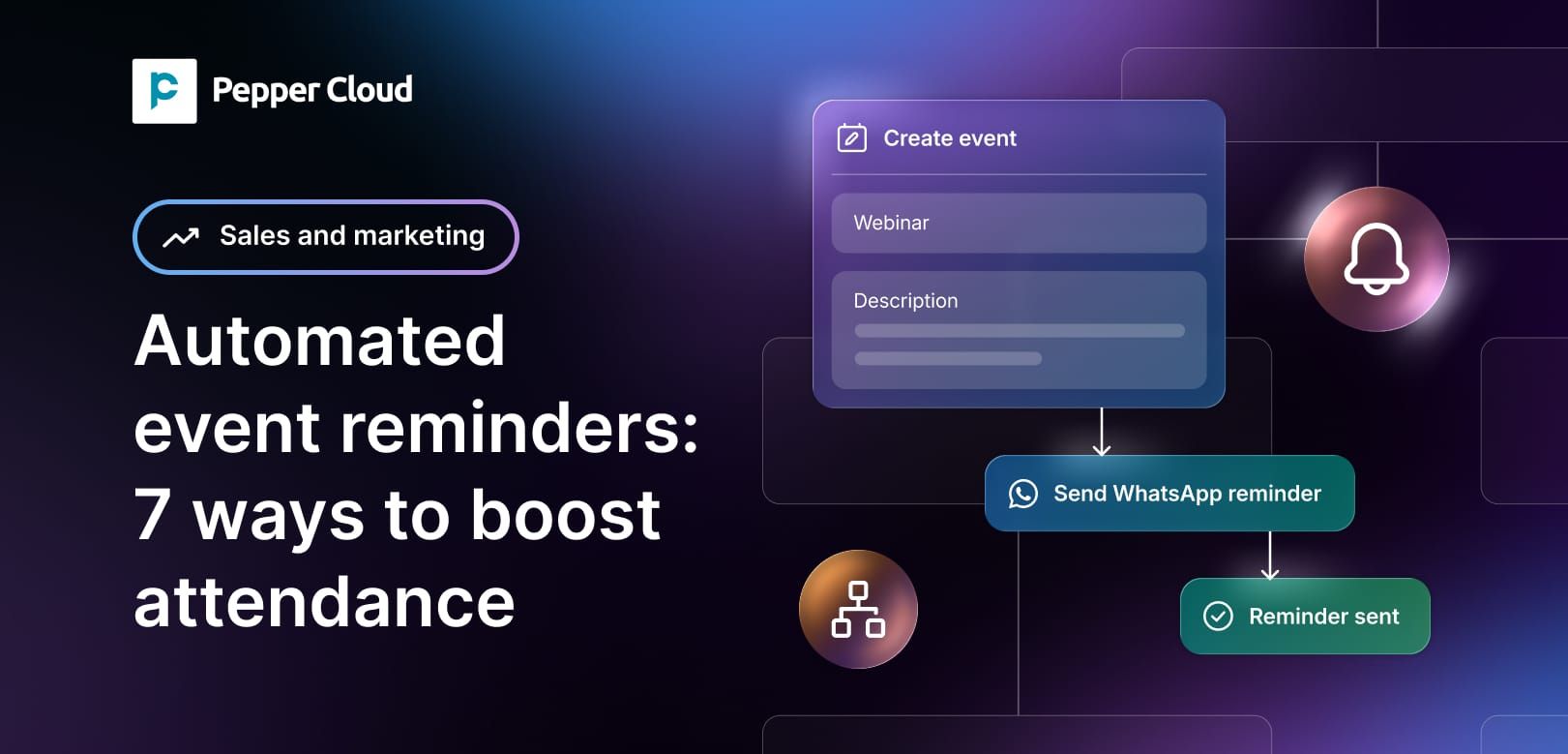

A near-empty room. A webinar with more no-shows than attendees. A training batch where half the enrolled students simply don't log in. If this sounds familiar, you're not alone, webinar attendance rates typically sit between 30% and 50%, even when registration numbers look healthy, and most no-shows aren't deliberate.
The fix doesn't require chasing every attendee by hand. In Pepper Cloud, classes, demos, webinars, and meetings can all be managed as Events, records that the contacts enrolled or registered for an activity get linked to.
Once that link exists, workflow automation can watch the event's start time and fire reminders automatically, at whatever intervals you define weeks, days, hours, or even minutes before the event begins, over email and WhatsApp, with no one on the team manually sending a thing.
This guide walks through seven ways that setup boosts attendance, with the data behind each one and how it actually runs inside a CRM.
What is an automated event reminder?
An automated event reminder is a pre-scheduled message — sent by email or WhatsApp that fires automatically once a time-based condition is met, such as "24 hours before the linked event starts," with no one on the team manually sending it.
How do automated event reminders work within AI CRM?
The trigger isn't a person remembering to hit send; it's the event record itself. As soon as a contact is enrolled in a class or registers for a webinar and gets linked to that event, every reminder in the workflow is already scheduled for them. Pepper Cloud's event notifications feature was built specifically for this: define the intervals once, and every future event of that type inherits the same reminder sequence.
1. Reminders are scheduled against the event, not against a person's memory
The reason this matters more than it sounds is registration timing. Roughly 49.6% of registrations for a typical event happen in the final seven days before it, and around 15% happen on the day itself. A reminder sent only two weeks out misses both of those groups entirely.
A layered sequence solves this. A common pattern built once as a workflow automation recipe looks like:
- One week before: a detailed reminder with the agenda, joining instructions, or class materials.
- 24 hours before: a shorter nudge confirming time and place.
- One hour before: a final, low-friction reminder with just the essentials.
This mirrors what Pepper Cloud own event notifications already do for webinars by default (24 hours and 1 hour before), with the option to extend the sequence further out for longer-lead-time events like a multi-week training programme.
Because the workflow is tied to the event record rather than to a person remembering each one, it runs identically whether five people are enrolled or five hundred
 Pepper Cloud Marketing
2. Email and WhatsApp cover the gap a single channel leaves open
Pepper Cloud sends reminders through email and WhatsApp — not SMS — and the two channels do genuinely different jobs. Email comfortably carries detail: agendas, attachments, joining links, calendar invites. WhatsApp is built for the moment right before the event, when the goal is simply to be seen.
That difference shows up clearly in the data. WhatsApp business messages report open rates around 95–98%, with the majority read within minutes of delivery, against roughly 20% for email. For a reminder sent an hour before a class starts, that gap is the difference between someone seeing it in time and someone seeing it after the session has already ended.
There's a technical detail worth knowing if you're setting this up: WhatsApp's Business Platform only allows free-form messages within 24 hours of the contact's last messaging you. Outside that window — which is exactly the situation for a reminder sent a week or a day ahead — the message has to use a pre-approved template, typically under WhatsApp's "Utility" category (the same category used for appointment and booking reminders).
In practice, this just means the reminder template gets approved once when the workflow is built, and then reused automatically for every event afterwards. Pepper Cloud WhatsApp Sales CRM handles this template setup as part of the same workflow that defines the reminder schedule, so it isn't a separate project.
For audiences across Singapore and the wider APAC region in particular, where WhatsApp is often the default channel for business communication, pairing it with email rather than relying on email alone tends to close a meaningful chunk of the no-show gap on its own.
In short:
- Email carries the detail — agendas, attachments, joining links.
- WhatsApp carries the urgency — 95–98% open rates, mostly read within minutes.
- Reminders sent days ahead need a pre-approved WhatsApp "Utility" template, set up once and reused automatically.
3. Reminders are personalised automatically, not written from scratch each time
Because reminders pull from the same CRM record as the event itself, the message can merge in the contact's name, the class or session title, the date and time, the host or instructor, and the location or join link — without anyone typing those details in by hand for each recipient.
A reminder that says "Hi Mei, your Algebra Foundations session with Mr. Tan starts in 24 hours" reads as a relevant, specific nudge. "You have an event tomorrow" reads as something to scroll past.
This matters more on WhatsApp than it might on email, since WhatsApp is a channel people associate with personal conversation. A reminder that's clearly mass-sent and generic is far more likely to get archived or, worse, reported — a personalised one sent through an approved template avoids that entirely.
In short:
- Name, session title, date/time, host, and join link merge in automatically — no manual typing per recipient.
- Specific, personal-sounding reminders get read; generic ones get scrolled past.
- This matters more on WhatsApp, where mass-sent messages are more likely to be ignored or reported.
 Pepper Cloud Marketing
4. The workflow is built once and runs for every future event of that type
Manually tracking who's enrolled in which class or demo, then messaging each person individually as the date approaches, doesn't scale past a handful of events and it's not a good use of a coordinator's or sales rep's time either.
Research on automated versus manual outreach found automated reminders cost a fraction of a manual phone call per contact, simply because no one has to do the dialling, drafting, or sending.
Set up as a workflow automation tied to an event type — say, "Weekly Tuition Batch" or "Product Demo" — the reminder sequence applies automatically to every contact enrolled from that point forward. New enrolments don't need a fresh setup; they're simply added to an event record that already has the reminder logic attached.
This is the same automation engine behind Pepper Cloud broader workflow automation features, so teams already using it for follow-ups or lead routing aren't learning a new tool — they're applying one they already have to a new use case.
In short:
- Built once per event type, not once per event.
- New enrolments automatically inherit the existing reminder sequence.
- No staff time spent dialling, drafting, or sending reminders manually.
5. The same mechanism cuts no-shows for sales meetings, not just classes
Demos, consultations, and client check-ins suffer from the same problem as classes and webinars, often at a higher cost, a missed sales demo can mean a lost deal, not just an empty seat. Because Pepper Cloud treats these as event records in the same way, the identical reminder workflow applies: link the prospect to the meeting, and the email-and-WhatsApp sequence runs automatically ahead of it.
This pairs naturally with Pepper Cloud Event Scheduling AI Agent, which handles the booking itself — checking calendar availability and confirming the meeting — and then hands off to the same reminder workflow to make sure the meeting that got booked actually happens.
Scheduling and showing up are two different problems; automating both closes the loop properly.
In short:
- Demos, consultations, and check-ins run on the same event-record logic as classes and webinars.
- A missed demo costs a deal, not just a seat — the stakes are higher, not lower.
- Pairs with the Event Scheduling AI Agent: one flow books the meeting, the other makes sure it happens.
6. Reminder timing can be tuned to how long the lead-up actually is
Not every event has the same registration pattern. A one-off webinar tends to see a late surge of sign-ups close to the date, which is why short-interval reminders (24 hours, 1 hour) do most of the work.
A multi-week training programme behaves differently — students often enrol weeks in advance and then need a "this starts soon" nudge that a single 24-hour reminder won't cover on its own.
Because Pepper Cloud lets you set intervals down to weeks, days, hours, or minutes before an event, the same underlying feature supports both patterns. A training provider might run reminders at two weeks, three days, and the morning of the session; a webinar host might run theirs at one week, one day, and one hour.
The mechanism is identical — only the schedule changes, and that's a configuration choice rather than a separate build.
In short:
- Webinars: short-interval reminders (24 hours, 1 hour) do most of the work.
- Multi-week courses: longer lead-in reminders (e.g. two weeks, three days) are needed too.
- Same feature either way — only the schedule changes, not the setup.
7. Attendance becomes something you can see and improve, not guess at
Once reminders are automated, they also generate visibility: who received the message, what was opened or read on email, and ultimately who turned up.
Reviewed through a sales dashboard, this turns attendance from a one-off guess into a pattern you can act on — for example, noticing that a particular class slot has a chronic no-show problem despite reminders going out, which might point to a scheduling issue rather than a reminder one.
That kind of feedback loop is the difference between sending reminders because it seems sensible and actually using them to improve attendance over a term, a quarter, or a sales cycle.
In short:
- Every reminder generates data: received, opened/read, attended.
- Patterns surface — like one class slot with chronic no-shows despite reminders.
- Turns reminder cadence into something you refine each term or quarter, not a "set and forget" task.
Common mistakes to avoid
A few things quietly undermine an otherwise well-built reminder workflow:
- Sending only one reminder. A single email a week out misses the ~15% of people who register the same day, and the chunk who simply forget by the time the event arrives.
- Skipping WhatsApp template approval lead time. Templates typically take minutes to a day to get approved — worth building in before launching a new event type, not on the morning of the first session.
- Using identical wording on email and WhatsApp. Email can carry the full agenda; WhatsApp works better short and direct. Copy-pasting one into the other under-uses both channels.
- Forgetting to update the workflow when an event's time or host changes. If the event record isn't updated, the reminder still goes out — with the wrong details merged in.
- Not reviewing attendance data afterwards. Without checking who actually showed up, there's no way to tell whether the reminder schedule needs adjusting for the next event.
Setting up automated event reminders in Pepper Cloud
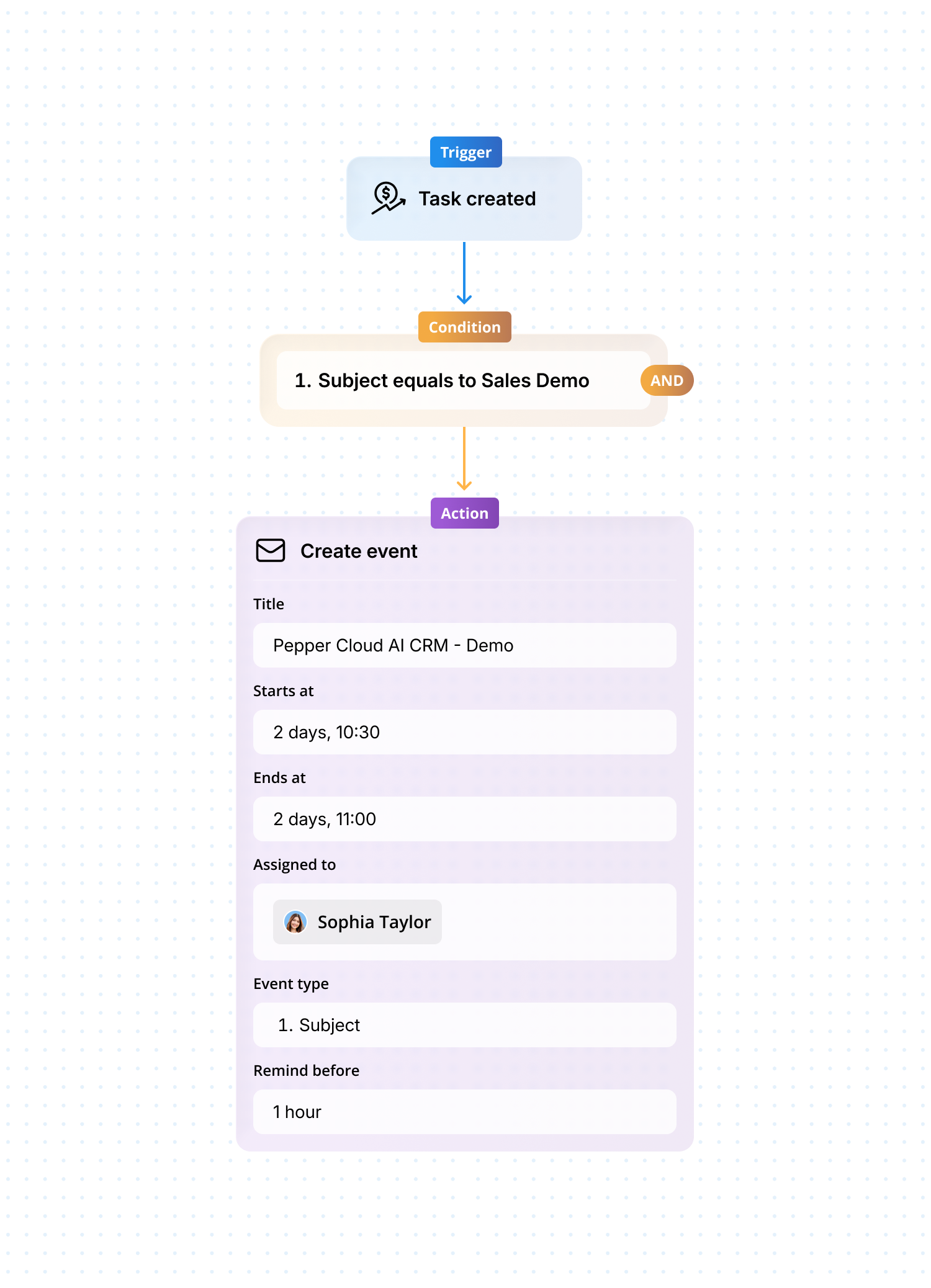
- Create the event record (class, webinar, demo, or meeting) and link enrolled or registered contacts to it.
- Build the workflow automation with your reminder intervals — for example, one week, 24 hours, and one hour before the event.
- Choose email, WhatsApp, or both for each interval, and get any WhatsApp templates approved in advance.
- Add merge fields for name, event title, time, and host so each reminder reads as personal rather than mass-sent.
- Let the workflow run automatically for every contact linked to that event type going forward.
- Review attendance and message engagement afterwards, and adjust the interval or channel mix if a pattern shows up.
FAQs
Do automated reminders actually reduce no-shows, or is this overstated?
No — the effect is well documented across sectors. Layered, automated reminders consistently reduce no-show rates, and the underlying reason is simple: most no-shows come from people forgetting or losing track of the date, which a well-timed reminder directly addresses.
Why use WhatsApp instead of just email for event reminders?
WhatsApp business messages are typically opened far more often, and far faster, than email — most are read within minutes. For a reminder sent close to the event's start time, that speed matters more than it does for a reminder sent a week out, which is why pairing both channels usually outperforms either alone.
Does Pepper Cloud support SMS reminders?
No. Pepper Cloud's automated event reminders run through email and WhatsApp via workflow automation, not SMS.
How many reminders should I send before an event?
Most setups land on three: one further out with full detail, one a day before as a confirmation, and one close to start time as a final nudge. The exact spacing depends on how far in advance people typically register for that type of event.
Do WhatsApp event reminders need approval before they can be sent?
Reminders sent outside the 24-hour window since a contact's last message need to use a pre-approved WhatsApp template, usually under the Utility category. This is a one-time setup per template, not something that needs repeating for every event.
Can the same reminder workflow be used for sales meetings, not just classes or webinars?
Yes. Because meetings, demos, and classes are all managed as event records, the same reminder logic applies to any of them — only the contacts and event details differ.
Key takeaways
- No-shows are rarely deliberate; most happen because people forget, which is exactly what a timed reminder addresses.
- Layered reminders (sent further out, a day before, and close to start time) outperform a single email, since registrations cluster unevenly before an event.
- Email and WhatsApp serve different jobs — email for detail, WhatsApp for speed and visibility — and pairing them closes gaps either leaves alone.
- WhatsApp reminders sent ahead of an event need a pre-approved template, set up once and reused automatically afterwards.
- The same workflow that reminds students about a class can remind prospects about a demo — it's one mechanism applied to every event type.
- Reviewing attendance and engagement data after each event is what turns reminders into something you improve over time, rather than a one-off setup.
Ready to put this into practice? Get a demo of how Pepper Cloud's event notifications and workflow automation can run this for you, end to end.